WhatsApp
Cart is empty

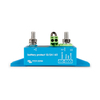
Victron Energy Smart BatteryProtect 12/24V-65A
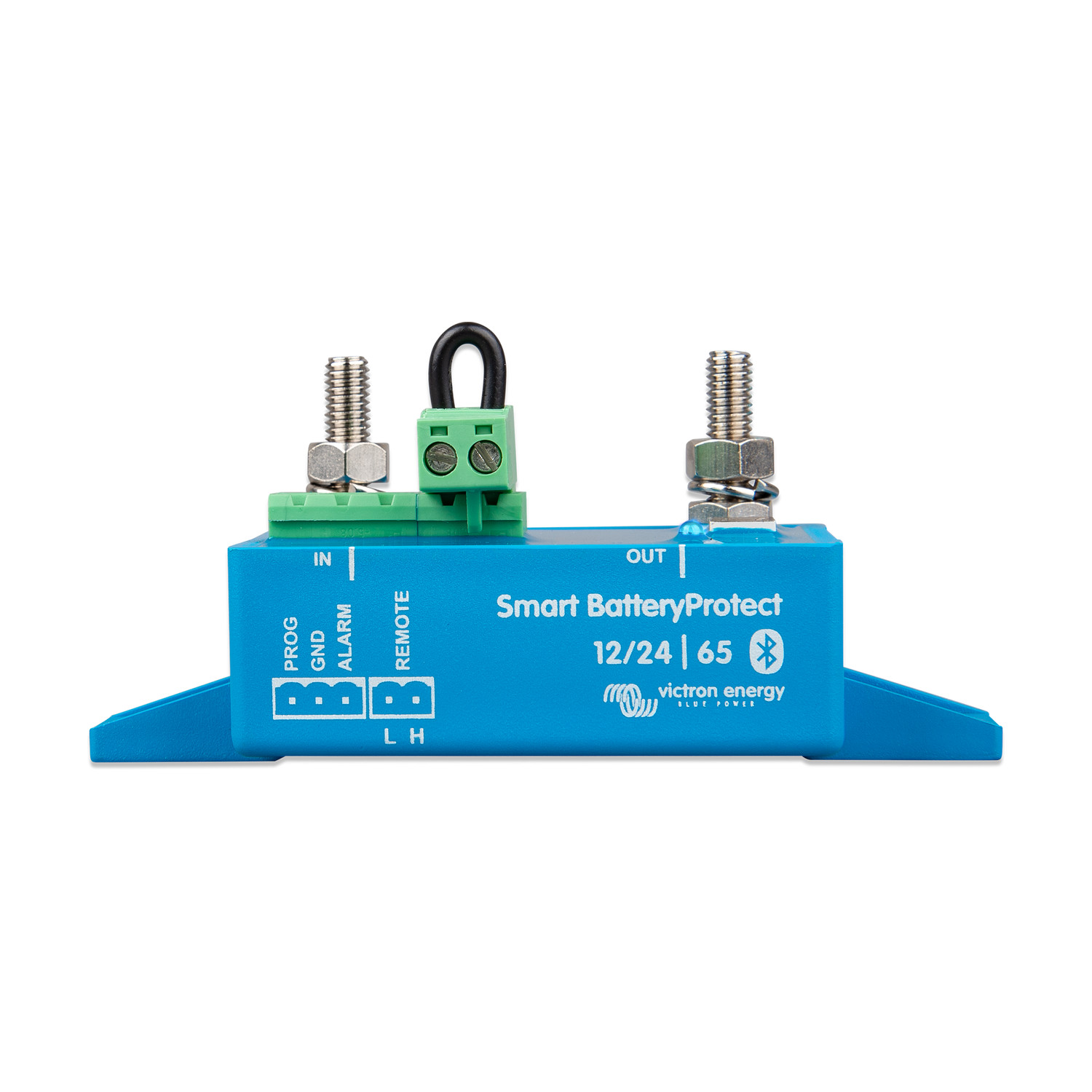
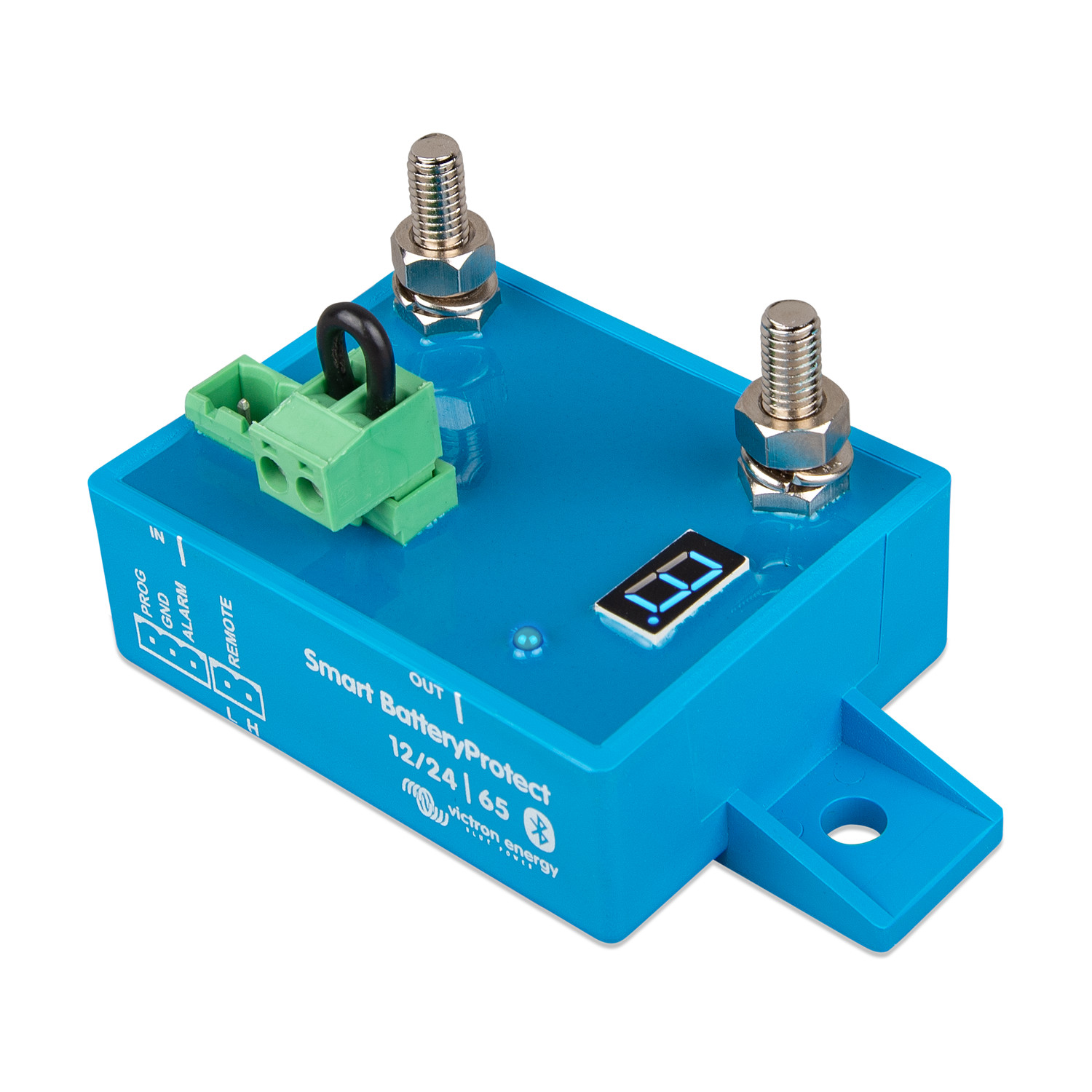
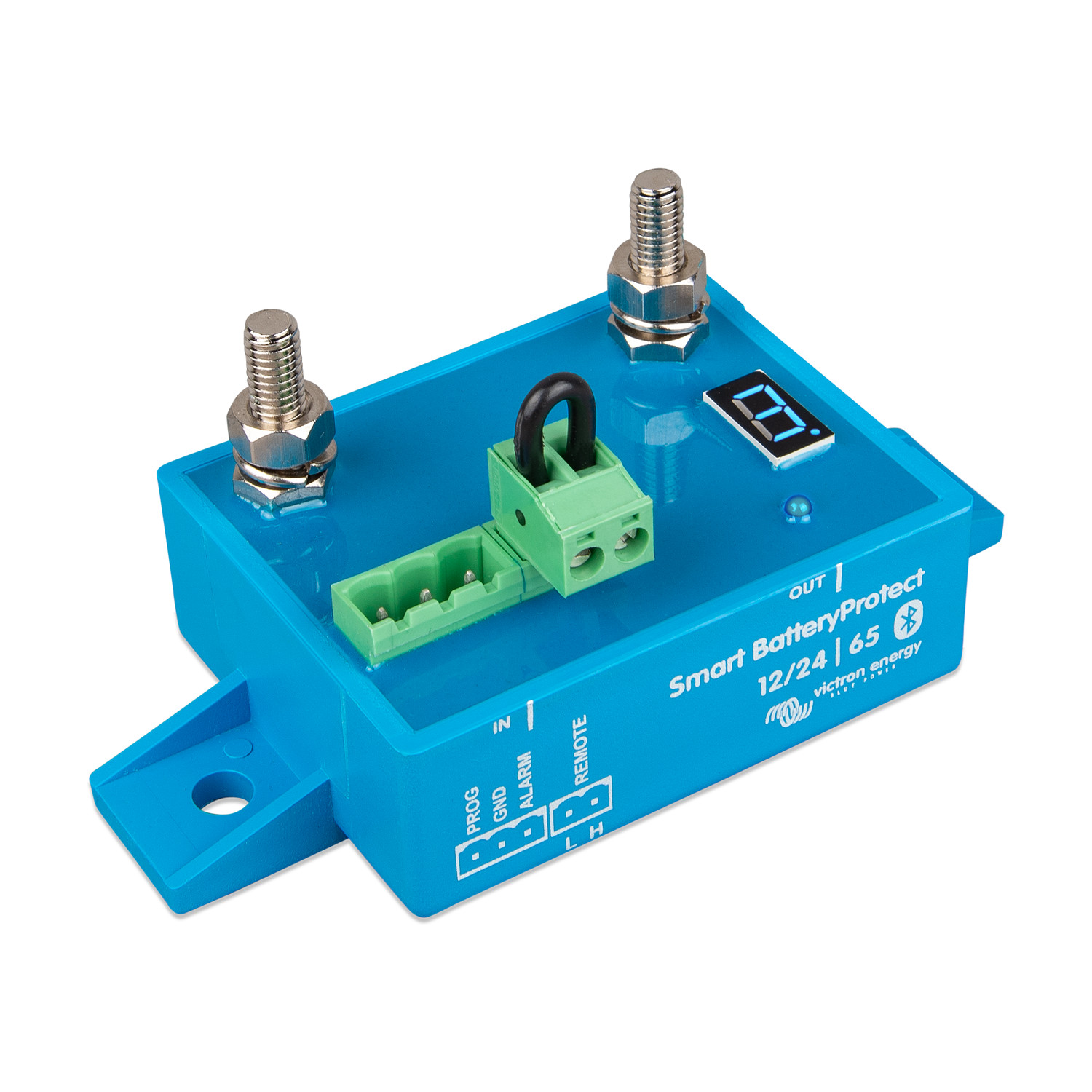



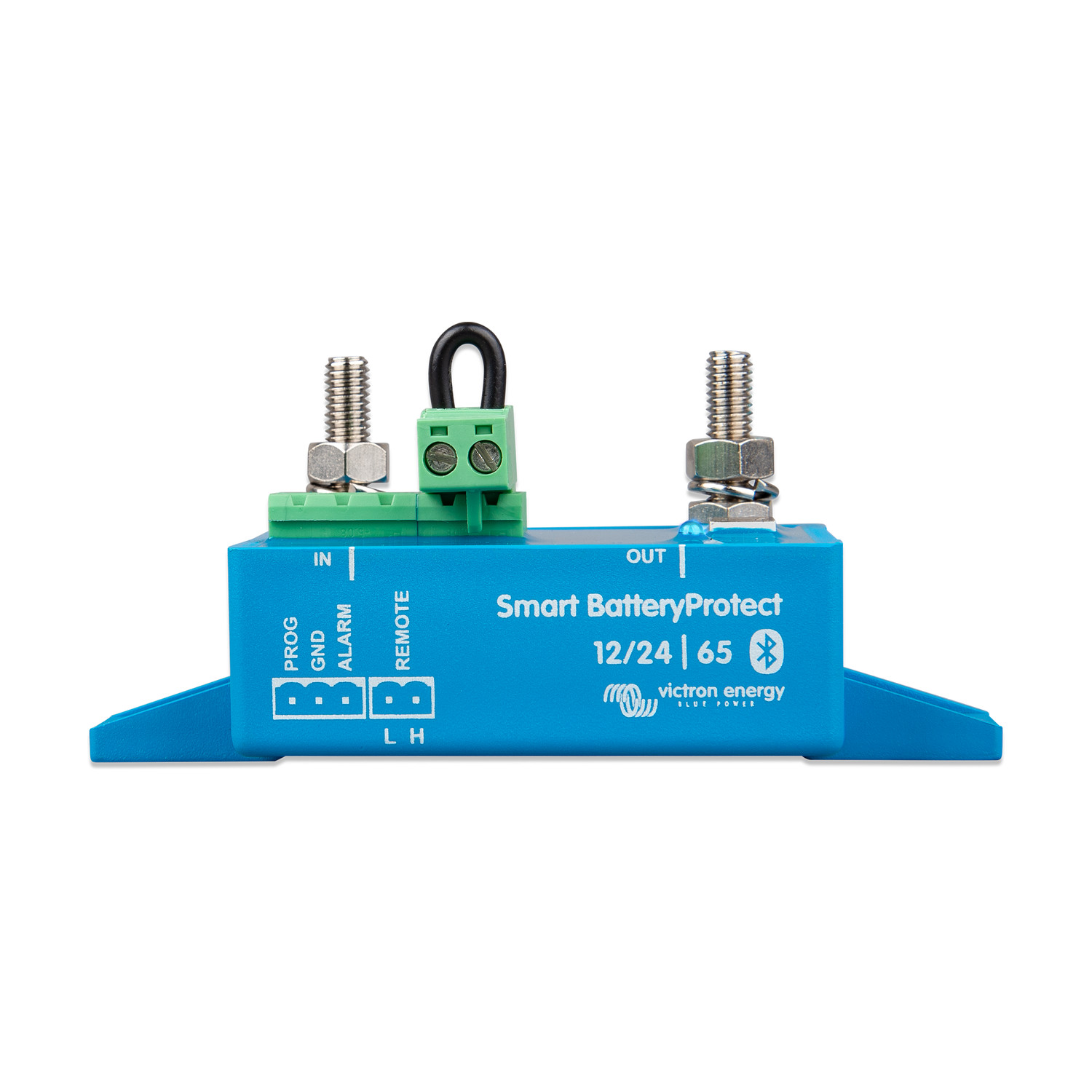 The Victron Energy Smart BatteryProtect 12/24V-65A disconnects non-essential DC loads before the battery is deeply discharged, which would damage it, or before too little charge remains to start the engine. It is a uni-directional MOSFET switch in the positive cable: current can only flow from the IN (battery) terminal to the OUT (load) terminal. The remote on/off input can also be used as a system on/off switch.
Bluetooth and VictronConnect. Thresholds can be set to any required engage and disengage levels in the VictronConnect app. VictronConnect can also show Instant Readout on the device list — the main status, warnings, alarms and errors — without first pairing with the unit. Bluetooth can be switched off if it is not wanted. The 12/24 V models detect the system voltage once, at first power-up, and store it. Nine predefined threshold pairs can still be set from the seven-segment display by connecting the PROG pin to the GND pin. The factory defaults are 10.5 V or 21 V to disconnect and 12 V or 24 V to reconnect.
Timed alarm and disconnect. If the battery stays below the disconnect threshold for 12 seconds, the alarm output (maximum 50 mA) is activated. The load is disconnected 90 seconds later, unless the voltage has already recovered — for example after the engine has been started. The load is reconnected 30 seconds after the voltage rises above the reconnect threshold. On the 12/24 V models the load is also disconnected if the voltage exceeds 16.3 V or 32.6 V.
Lithium batteries and chargers. A Li-ion mode lets an external BMS, such as a VE.Bus BMS or a Lynx Smart BMS ATD/ATC contact, control the unit through the remote terminal, with immediate disconnect. The same device can sit between a charger and a lithium battery to interrupt charge, but only if it is oriented so that current still flows from IN to OUT. It is not designed for reverse currents from charging sources. The DC input of an inverter or inverter/charger must never be wired through a Smart BatteryProtect; use the inverter's remote port instead.
This is the Smart BatteryProtect family. A separate non-Smart BatteryProtect family is programmed only from the seven-segment display and uses different part numbers.
Features
- Bluetooth programming with VictronConnect, including Instant Readout without pairing; Bluetooth can be disabled
- MOSFET switching with no relay contacts, so the unit does not produce sparks
- This default model is rated at 65 A continuous and 250 A peak for 30 seconds; the 100 A, 220 A and 48 V-100 A versions are in the Models & part numbers table
- Current consumption on the 12/24 V models is 1.4 mA on / 0.9 mA off with Bluetooth enabled, and 1.2 mA on / 0.7 mA off with Bluetooth disabled (48 V-100 A: 1.9 mA / 1.7 mA with Bluetooth on, and 1.7 mA / 1.6 mA with Bluetooth off)
- Electronics are potted to IP67; the connections are IP00
- Remote on/off terminals (H and L) and a short-circuit-proof alarm output
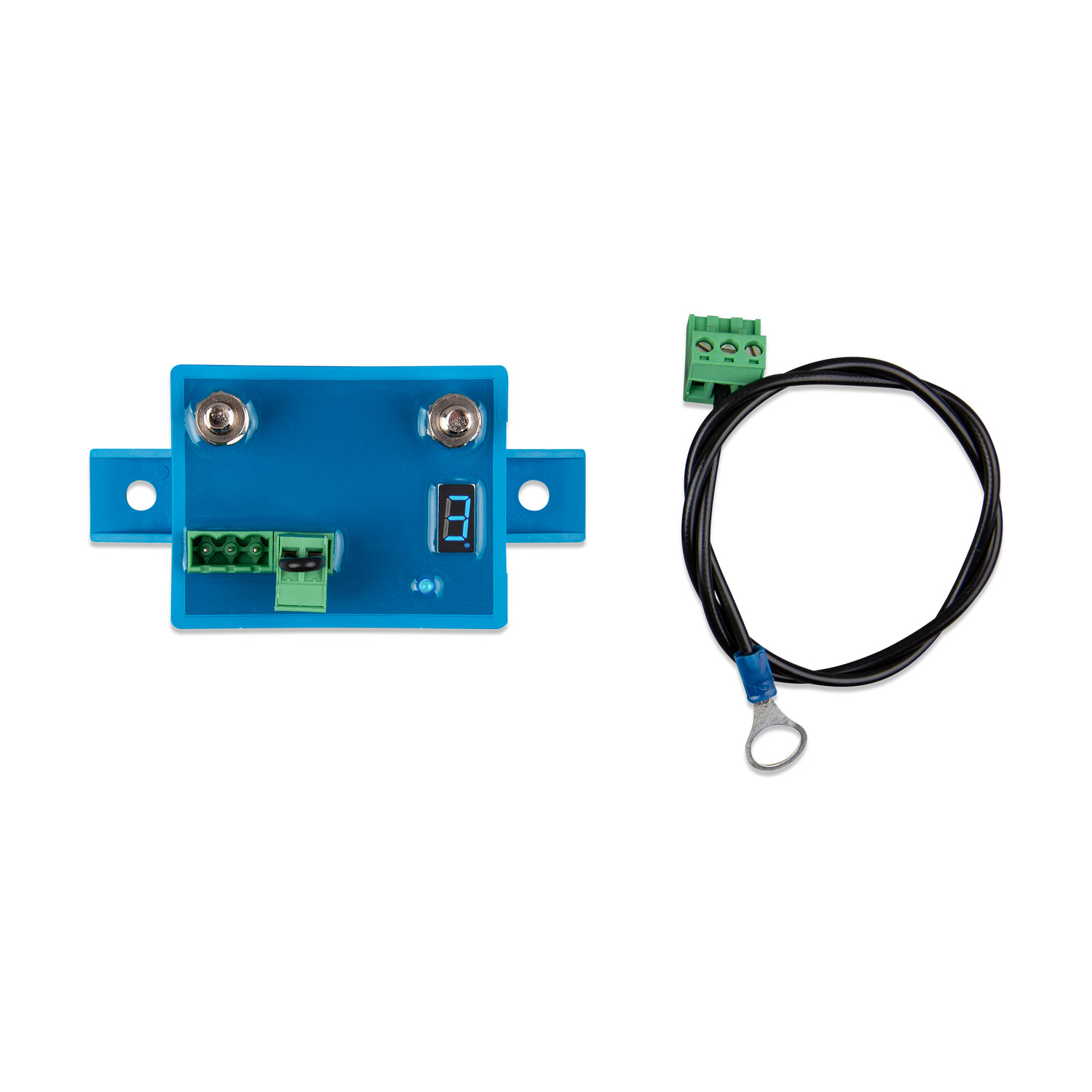
- A connector with a preassembled DC minus cable is included
Models & part numbers
| Model | Part number | Continuous current | Peak current (30 s) | Operating voltage | Connection |
| Smart BatteryProtect 12/24V-65A | BPR065022000 | 65 A | 250 A | 6–35 V | M6 |
| Smart BatteryProtect 12/24V-100A | BPR110022000 | 100 A | 600 A | 6–35 V | M8 |
| Smart BatteryProtect 12/24V-220A | BPR122022000 | 220 A | 600 A | 6–35 V | M8 |
| Smart BatteryProtect 48V-100A | BPR110048000 | 100 A | 250 A | 24–70 V | M8 |
Fitting
Install the unit in a well-ventilated place, preferably close to the battery (no more than 50 cm away) and not above it, where corrosive gases can collect. Use cable of a suitable size and length for the load: a long or undersized positive cable can cause a short-circuit alarm at start-up or an unexpected shutdown.
Fit a correctly sized fuse in the cable between the battery and the Smart BatteryProtect, as required by local rules. Connect the supplied 1.5 mm² earth wire only to the battery negative (or the vehicle chassis), with a 300 mA fuse in that wire; do not share it with other equipment. Observe the IN to OUT orientation. Do not connect the load until programming is complete. The 12/24 V models store the detected system voltage after the first power-up; use program d on the display, or Bluetooth, if the unit is later moved to a system of the other voltage.
Tighten the main connections to 5 Nm on the 65 A model (M6) and to 9 Nm on the 100 A, 220 A and 48 V-100 A models (M8). A remote on/off switch can be wired between the Remote H and Remote L terminals; alternatively, terminal H can be taken high to battery positive, or terminal L low to battery negative. Under no circumstances should the DC input of an inverter or inverter/charger be taken through a Smart BatteryProtect; if you need to control one, use its remote port.
Maintenance
There are no user-serviceable parts inside the potted electronics. Keep the IP00 connections clean and dry, and periodically check that the studs remain tight to the torque figures above and that the battery fuse is of the correct rating.
FAQ
Can it carry charging current in both directions? No. The Smart BatteryProtect is uni-directional. Current may only flow from IN to OUT, and it is not designed for reverse currents from charging sources. If you use one to interrupt a charger, turn the unit so that the charger is on the IN side and the battery on the OUT side. Two units are needed if both load disconnect and charger disconnect are required.
Can I place it in the DC feed to an inverter? No. Connecting an inverter or inverter/charger to the Smart BatteryProtect through its DC input is not permitted and can damage the unit, because a reverse current may flow and because the inrush can trip the short-circuit protection. Use the Smart BatteryProtect to control the inverter's remote on/off port instead.
How do I set the disconnect voltage? The usual method is VictronConnect over Bluetooth, which also allows user-defined thresholds. Alternatively, connect the PROG pin to the GND pin and use the seven-segment display to step through the nine predefined shutdown and restart pairs (0–9) and the operating modes, including buzzer or LED (A), relay (b), lithium (C), system-voltage detect (d), Bluetooth enable (F) or disable (h), and PIN-code reset (P). Do not connect the load output until programming is finished. The full table is in the official manual.
How does this differ from the non-Smart BatteryProtect? The non-Smart family is a separate range with different part numbers. It is programmed only from the seven-segment display and the PROG pin, and it has no Bluetooth or VictronConnect. This Smart family adds Bluetooth, VictronConnect and Instant Readout.
Specifications
| 12/24V-65A | 12/24V-100A | 12/24V-220A | 48V-100A | |
| Max. continuous load current | 65 A | 100 A | 220 A | 100 A |
| Peak current (30 seconds) | 250 A | 600 A | 600 A | 250 A |
| Operating voltage range | 6–35 V | 24–70 V | ||
| Current consumption, Bluetooth on (on / off) | 1.4 mA / 0.9 mA | 1.9 mA / 1.7 mA | ||
| Current consumption, Bluetooth off (on / off) | 1.2 mA / 0.7 mA | 1.7 mA / 1.6 mA | ||
| Alarm output delay | 12 seconds | |||
| Maximum load on alarm output | 50 mA (short-circuit proof) | |||
| Load disconnect delay | 90 seconds (immediate if triggered by a VE.Bus BMS) | |||
| Load reconnect delay | 30 seconds | |||
| Default thresholds (disconnect / reconnect) | 10.5 V or 21 V / 12 V or 24 V | 42 V / 48 V | ||
| Over-voltage disconnect | 16.3 V or 32.6 V | 64 V | ||
| Operating temperature | Full load: −40 °C to +40 °C (up to 60 % of nominal load at 50 °C) | |||
| IP rating | Electronics: IP67 (potted); connections: IP00 | |||
| Connection / mounting torque | M6 / 5 Nm | M8 / 9 Nm | M8 / 9 Nm | M8 / 9 Nm |
| Weight (product) | 0.2 kg | 0.5 kg | 0.8 kg | 0.8 kg |
| Dimensions (h × w × d) | 48 × 55 × 106 mm | 61 × 41 × 164 mm | 60 × 123 × 121 mm | 60 × 123 × 121 mm |
The Smart BatteryProtect is not designed for reverse currents from charging sources. Dimensions are taken from the official Victron Smart BatteryProtect dimension drawings and from the 12/24 V datasheet. Official specifications: Victron Energy datasheets for Smart BatteryProtect 12/24 V 65 A/100 A/220 A and Smart BatteryProtect 48 V-100 A, and the February 2025 (rev 05) manuals.
Included
- Smart BatteryProtect unit
- Connector with preassembled DC minus cable (1.5 mm²), for the GND connection
Optional Accessories
A correctly sized fuse must be fitted in the positive cable between the battery and the Smart BatteryProtect. These are fuse types we list in the same electrical range; choose the rating to suit the cable and the model.
| Code | Smart BatteryProtect | Availability | Price | |
|---|---|---|---|---|

|
VICTRON ENERGY BPR065022000
|
7 days
|
€55.95 (€46.24 ex. VAT) | |

|
VICTRON ENERGY BPR110022000
|
7 days
|
€73.96 (€61.12 ex. VAT) | |

|
VICTRON ENERGY BPR122022000
|
7 days
|
€109.95 (€90.87 ex. VAT) | |

|
VICTRON ENERGY BPR110048000
|
7 days
|
€142.95 (€118.14 ex. VAT) |
No posts found